NRA
- 3.1
- Rating
- 10.00K
- Installs
- Free
- Price

 Analysis by App-foxy
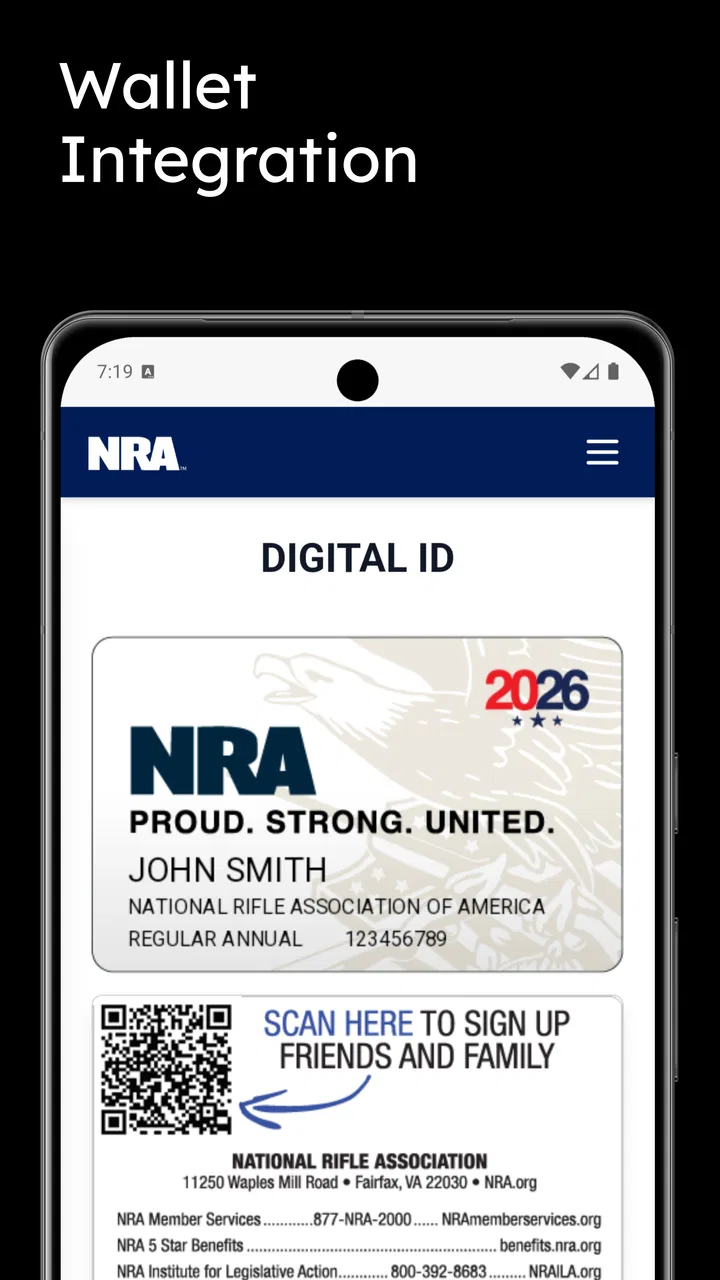
I found NRA most useful when I stopped thinking of it as a general news reader and treated it as a focused companion for people who already want to follow the National Rifle Association of America. It brings together organization-related news, training material, events, a digital identification card, and member benefits in one mobile place. That combination makes it more practical than a simple stream of headlines, although it also gives the app a narrower audience than mainstream news services.
In my experience, the biggest question is not whether the app has enough content. It is whether its purpose matches your routine. If you are an NRA member, attend relevant events, use training resources, or want quick access to membership-related material, the app has a clear reason to stay on your phone. If you only want broad coverage of national news, politics, public safety, or firearms reporting from multiple viewpoints, a conventional news app will probably serve you better.
How NRA fits into a shared household
A realistic household use case is a shared tablet or a phone that several people use during the week. One person may open the app to check an upcoming event, another may look through training resources, and a member may need the digital ID card while away from home. In that setting, the app works best as a personal reference tool rather than a family dashboard. I would not expect everyone in the household to use it in the same way.
You May Also Like

 AccuWeather: Weather Radar
AccuWeather Review: A Quick, Clear Forecast for Everyday Decisions
For everyday plans, the best forecast is the one you can understand quickly. AccuWeather makes rain timing, radar, and local conditions easy to act on, with a few trade-offs.

 Hill Climb Racing
Why Hill Climb Racing Still Turns Crashes Into One More Run
A tiny car, a bumpy hill and one more upgrade: Hill Climb Racing keeps resurfacing because its simple chaos makes every near-miss feel personal.

 AliExpress - Shopping App
AliExpress Makes Global Shopping Feel Personal, but Shoppers Bear the Risk
AliExpress turns a global marketplace into a pocket-sized discovery engine. Its reach is useful, its shopping loop compelling, and its trade-offs easy to miss.

 Lords Mobile: Kingdom Wars
Lords Mobile Is a Kingdom-Building Routine, Not a Quick Match
A case-by-case verdict on the building, battles, device demands, and social commitments that make Lords Mobile rewarding for some players and exhausting for others.

 PDF Scanner app - TapScanner
TapScanner Makes Paperwork Easier to Capture, Check, and Share
TapScanner makes scanning with a phone feel less like a rescue operation and more like a dependable step in getting work done. Its capture tools are useful, though not flawless.

 Block Blast!
 Shows How Much a Puzzle Game Can Leave Out
A quiet grid game shows why puzzle players increasingly value instant clarity, repeatable skill and low-pressure play—and where the genre still needs to catch up.
More From Our News Desk
View All News


The distinction matters because the app’s main value is tied to individual interest and, in some situations, membership-related activity. A partner might only need the events area. Another household member may care about educational material but not member benefits. Someone else may simply want to read the organization’s news. Keeping those purposes separate makes the app easier to understand and avoids treating one person’s account or membership material as if it were automatically shared by everyone.
I also think a shared-device setup calls for a small amount of common sense. Before handing the phone to someone else, I would close any screen containing the digital ID card or other personal membership information. That is not a criticism of the app; it is a sensible habit for any application that places identification or account-related material on a device used by more than one person. The digital card is convenient precisely because it is close at hand, so it deserves the same care as a physical card.
For a household that wants one app for every person’s news interests, this is not the right tool. Its focus is too specific, and the organization’s perspective is central to what you are reading. For a household where one or two people actively follow NRA activities, however, installing it can reduce the need to jump between a browser, email messages, event pages, and separate training references.
What I noticed during the first setup
The first useful decision is to identify who the app is for on the device. I would install it for the person who expects to use the digital ID card or member benefits most often, rather than assuming that every family member needs access. That simple boundary keeps the app’s role clear and makes it less likely that a casual user will confuse general news with personal membership material.
NRA is free, which removes the usual hesitation about trying it. The application is listed for devices running Android 5.0 or later, so it is aimed at a wide range of Android hardware rather than only recent phones. Its current version is 1.0.8, and I would check that the installed copy is current before relying on it for an event or for showing the digital card. Keeping the app updated is especially sensible when a feature is being used as a quick access point rather than merely for reading.
The app is rated for Teen audiences. That is an important context for a shared household. I would not present it to a younger child as a general-purpose news app without first considering whether its subject matter and organizational viewpoint are appropriate for that child. The age label does not replace a parent’s judgment, and it does not tell you how every individual article or resource will feel to your family. It simply signals that this is not an app I would hand to a young child without supervision.
Another useful boundary is to separate reading from decision-making. Training resources can be valuable for finding material to review, but opening a resource on a phone is not the same as completing instruction, practicing safely, or receiving qualified guidance. I would use the app to locate and revisit relevant material, then treat any real-world training decision as something requiring proper attention beyond a quick glance at a screen.
Using the app to coordinate plans
The events section is where the app can become more useful to a household than a standard news feed. If one person notices an event that matters to the family, the practical workflow is to open the details, discuss who is interested, and then record the agreed plan in the household calendar or messaging app. I would not rely on a single person’s memory of what they saw in the app, particularly when several people need to coordinate transport, timing, or attendance.
This is one of the app’s less obvious trade-offs: it can help you discover or revisit organization-related activities, but it is not a replacement for the household tools used to coordinate everyday life. I would use NRA as the source for checking relevant information and a separate calendar for reminders. That division keeps the app focused and prevents an event from being forgotten simply because it was viewed once.
The same approach works for training resources. Instead of sending a vague message saying that there is “something useful” in the app, I would open the exact resource, explain why it matters, and decide whether it is for immediate reading or later review. This creates a more useful conversation, especially when one household member is experienced and another is just beginning to explore the subject.
Member benefits can also be handled more deliberately. Rather than browsing them randomly, I would check them when there is a specific need, such as preparing for an activity or comparing what is available to a member. That makes the section easier to evaluate in real life. A benefit is only useful if it applies to your situation and can be acted on, so I prefer using this area as a reference rather than assuming every listing will matter to me.
The digital ID card has a different role. It is designed for quick retrieval, not for group discussion. In a shared household, the owner should be the person who controls when it is displayed. If another family member needs to help with an event or an errand, I would show the card directly rather than leaving the phone unlocked with the app open. This is a small practical habit, but it makes shared-device use feel much more controlled.
Age, trust, and the viewpoint behind the content
NRA is not a neutral news aggregator. The developer is National Rifle Association of America, and that identity shapes the app’s purpose and the material it presents. I see that as both its strength and its limitation. People who want the organization’s own news, resources, events, and member information get a direct source. People who want a broad comparison of reporting should add other publications instead of treating this app as their only news window.
That distinction is particularly important when several people share a device. A teenager may use the app to explore training-related information or follow an event, while a parent may want to discuss how to assess the material and compare it with independent sources. I would encourage that discussion without turning the app into a substitute for family judgment. Trusting an app does not mean accepting every viewpoint without context.
The Teen content rating makes the app more suitable for older household members than for young children, but I would still consider maturity and purpose. An older teenager who already understands how to distinguish organizational advocacy from independently reported news may use it responsibly. A younger user who assumes every article is a complete account of a subject may need guidance. The best approach is to explain what kind of source this is and why consulting more than one source can improve understanding.
I would also avoid treating the app’s training resources as universally appropriate for every user. Someone new to the subject may need a slower, structured learning path and direct instruction. Someone with prior experience may mainly appreciate having reference material gathered in one place. The app can support both people, but the value depends on how thoughtfully the material is used.
How it compares with ordinary news and member tools
Compared with a general news application, NRA is more specialized and more coherent for its intended audience. A mainstream reader usually offers many publishers and subjects, making it better for comparing perspectives and following unrelated stories. NRA is better when the goal is to stay close to the organization’s own updates and practical ecosystem rather than scan the entire news cycle.
Compared with using a mobile browser, the app has a clearer home for recurring tasks. I would rather open one dedicated place to look for the digital ID card, training material, events, and member benefits than search through bookmarks every time. The trade-off is that a browser remains more flexible for checking external context, finding independent reporting, or reaching information outside the organization’s scope.
Compared with a standalone digital membership tool, NRA appears broader because it combines identity-related access with news and resources. That is convenient for someone who wants one organization-focused app, but it can also make the experience feel less specialized. If all you need is a card, a dedicated membership route may feel quicker. If you want the card alongside events and reading material, the combined approach is more useful.
The app’s modest public reception is worth keeping in mind: it has a 3.1 average from around 38 ratings, with roughly 22 written reviews. I would not use those figures as a final verdict, because a small review pool can reflect a narrow group of users. Still, they suggest that expectations should be realistic. I would install it because its functions fit my needs, not because its public rating promises a polished experience for everyone.
Its reach is also still relatively limited, with over 10 thousand installs. That does not determine whether it works for a particular person, but it reinforces the idea that this is a focused companion rather than a universally adopted news platform. For me, the right comparison is not “Can it replace every news app?” but “Does it make NRA-related tasks easier than my current collection of browser tabs and saved pages?”
Who benefits most and who should skip it
I would recommend NRA to an active member who wants the digital ID card nearby, checks organization news, looks for training resources, or follows events. It also makes sense for someone considering membership-related activities and wanting those areas gathered in one place. The strongest use case is repeated, practical access rather than occasional curiosity.
I would be more cautious about recommending it to someone seeking balanced coverage of firearms policy, public affairs, or national news. The app’s organizational connection is not a flaw, but it means it should be one source among several for readers who want a wider picture. A general news service, a publication with multiple viewpoints, or a browser-based research routine will be better for that purpose.
I would also skip it on a shared family device if nobody in the household has a clear reason to use its member-oriented functions. Installing an app “just in case” can create confusion about whose information is being displayed and why it is there. The free price makes experimentation easy, but free does not mean useful for every household.
For parents, the decision depends on the teenager’s maturity and the family’s expectations around news and training content. I would allow use only with a clear understanding that the app represents a particular organization and that digital resources do not replace responsible instruction. For a younger child, I would choose a more age-appropriate general news or educational option.
My household verdict
After looking at the app as both a news reader and a shared-device utility, I see its best quality in the way it joins several NRA-related tasks. The digital ID card, events, training resources, news, and member benefits make more sense together than they would as isolated searches. That is a genuine convenience for the right user, especially someone who returns to these areas regularly.
My main reservation is scope. The app is not designed to be the household’s complete news source, family calendar, training program, or universal membership manager. It works best when each person understands what it is for, the owner keeps personal information under control, and the household uses other tools for scheduling and broader research.
I would install it on a personal phone or a carefully managed shared device when an NRA member has a recurring reason to open it. I would explain the Teen rating to younger users, keep the digital card private, use the events area as the starting point for coordination, and compare organization-related news with independent sources when the subject deserves a wider view. The practical recommendation is simple: use NRA as a focused organization companion, not as a replacement for every app your household already relies on.
With that expectation, the free app is worth trying for its intended audience. It is less convincing for casual readers, families looking for neutral news coverage, or anyone who has no use for member-focused tools. In my view, the app earns its place when convenience and direct access matter more than broad coverage; otherwise, a general news reader and a browser will remain the more flexible choice.
FAQs for NRA
01What is the NRA app used for?
The NRA app is designed to give members and interested users convenient access to NRA-related information and services from a mobile device. Depending on the version and your location, it may include news, alerts, membership resources, event information, educational content, and links to additional NRA services. The exact features can vary after installation.
02Is the NRA app free to download and use?
The app can generally be downloaded without an upfront charge from the official Android or iOS store. However, some content or services may require an NRA membership, account sign-in, registration, or separate payment. Before downloading, review the store listing and the app’s terms carefully, especially if you intend to access member-only material, events, donations, or other optional services.
03Do I need an NRA account or membership to use the app?
Not necessarily. Some sections may be available to everyone, such as public news, general information, or announcements, while other features may be limited to registered users or NRA members. After installing the app, check the sign-in and membership requirements for each section. Availability may also depend on your country, account status, and the current app version.
04Does the NRA app collect personal information?
Like many modern mobile applications, the NRA app may request information needed for accounts, communications, personalization, analytics, or optional notifications. The data collected can depend on the permissions you grant and the features you use. Before creating an account, read the app’s privacy policy and review permissions such as notifications, location, contacts, or device identifiers.
05Is the NRA app available on both Android and iPhone?
Availability depends on the specific NRA application and the country associated with your app-store account. Official versions may be offered for Android and iPhone, but features, release timing, and compatibility can differ between platforms. Download only from Google Play or Apple’s App Store, verify the publisher name, and check the required operating-system version before installing.
Pros
- Access to firearm safety courses and educational resources
- Useful hunting
- shooting
- and outdoor content for members
- Membership information and benefits are easy to find
- Includes updates about events
- programs
- and advocacy efforts
- Can help users connect with NRA communities and activities
Cons
- Content may feel politically focused for users seeking neutral information
- Some features and resources may require an NRA membership
- App usefulness can vary depending on location and local events
- Notifications may be frequent for users not following NRA campaigns
- Certain sections may redirect users to external websites or services

Gallery